Braio

Voice

Voice: An agent you can talk to.

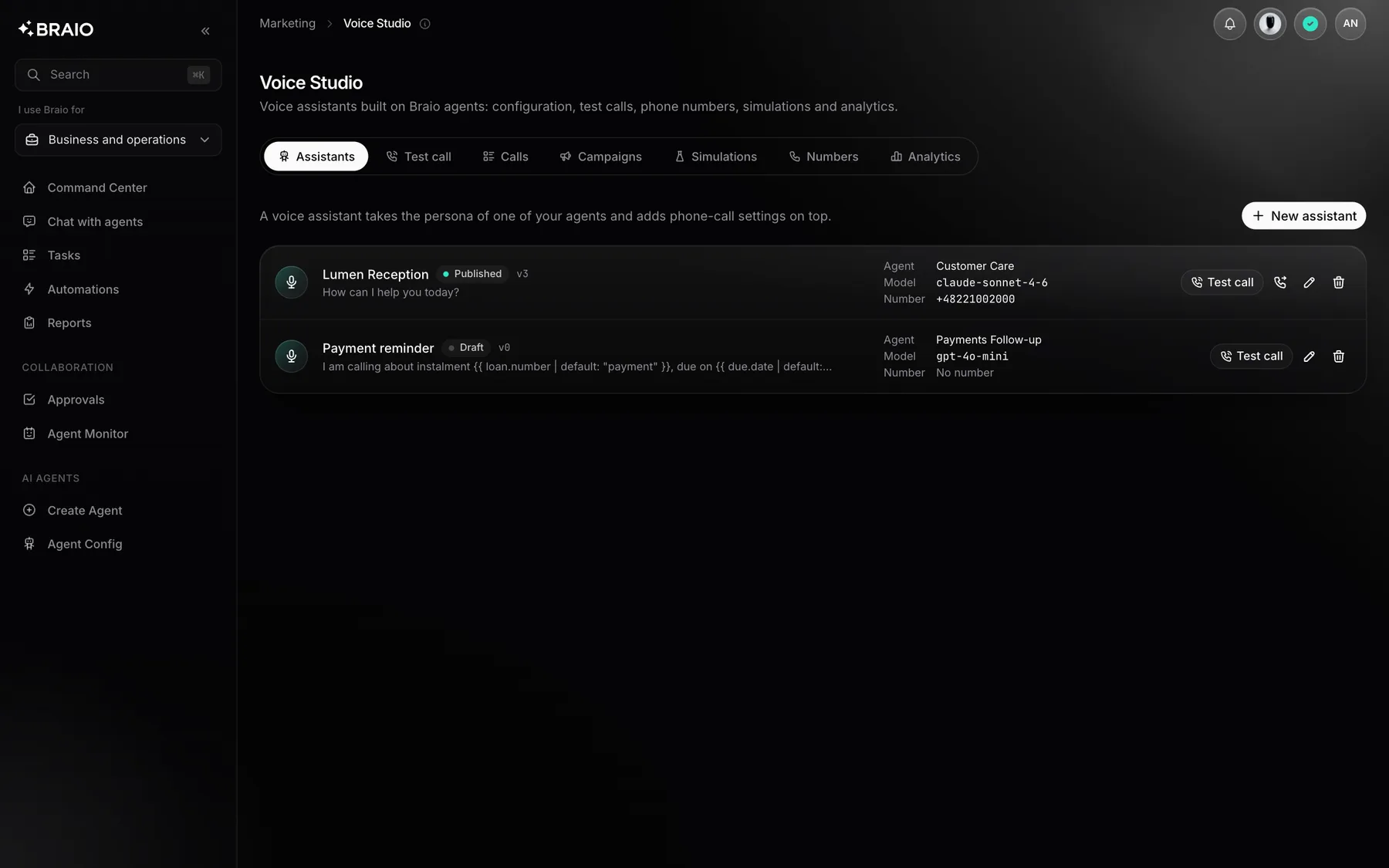
Any Braio agent can become a voice assistant. Configure its voice and rules, try it in the browser, connect a phone number and assess every call.

The Braio panel with sample data: Voice

See what you get

Sample requests and results on demonstration data.

What the work looks like

A preview on sample data.

A customer calls to move a visit to Thursday

Call summary

Topic
Visit rescheduled
Grade
Call goal achieved
Ended
Caller said goodbye

An assistant built on an agent

The assistant uses the prompt and persona of a Braio agent.

  • First message and AI disclosure
  • Language, voice and call limits
  • A test call in the browser

Simulate an upset customer who wants a refund

Simulation result

Empathy
Met
Handover
To customer service
Grade
Passed

Tests before it answers the phone

Simulated callers check the assistant against your criteria.

  • Persona, goal and grading criteria
  • Each criterion graded from the transcript
  • Handover of the call to your team

From setup to live calls

The assistant uses the chosen agent's prompt and persona, and you set the first message, AI disclosure, language, voice and call limits.

  1. 1

    You create an assistant on top of an agent.

  2. 2

    You talk to it in the browser, by voice or by typing.

  3. 3

    You test it with simulated callers and grading criteria.

  4. 4

    You connect a number and publish the assistant.

Insight into every call

Every call has a transcript, duration, end reason and analysis: a summary and a grade against your success criteria. A caller can also be handed over to your team.

Where to start

Start with one type of call, such as booking appointments. Check the assistant in the browser and in simulations before you connect a number.

Questions and answers

Write to us

Yes. A test call runs in the browser, by voice or by typing, on the assistant's current draft.

Yes, when you enable the transfer tool and configure at least one team.

Other products

Chat

Explore

AI agents that know your company, data and processes.

Build

Explore

Agents plan the work, write code and open pull requests.

QA AI Automation

Explore

An agent tests your app and collects bug evidence.

Content Studio

Explore

Images, video and campaign copy in one place.

SEO/GEO Audits

Explore

A report on how ready your site is for search and AI tools.

Social Manager

Explore

On-brand posts and graphics for Instagram, Facebook and LinkedIn.