


Delivery · code & tests
Implements tasks from issue to pull request: branch, code, tests and a change summary. Works in your repo via GitHub or GitLab.
- Input
- an issue from the backlog
- Output
- a pull request with tests
- Tools
- GitHub · GitLab · CI

What it does
Scope of work
From issue to pull request
Picks a task from the backlog, creates a branch, writes code and tests, opens a PR with a change summary - in your repository, in your style.
Delivery · GitHub / GitLab
A plan before it starts
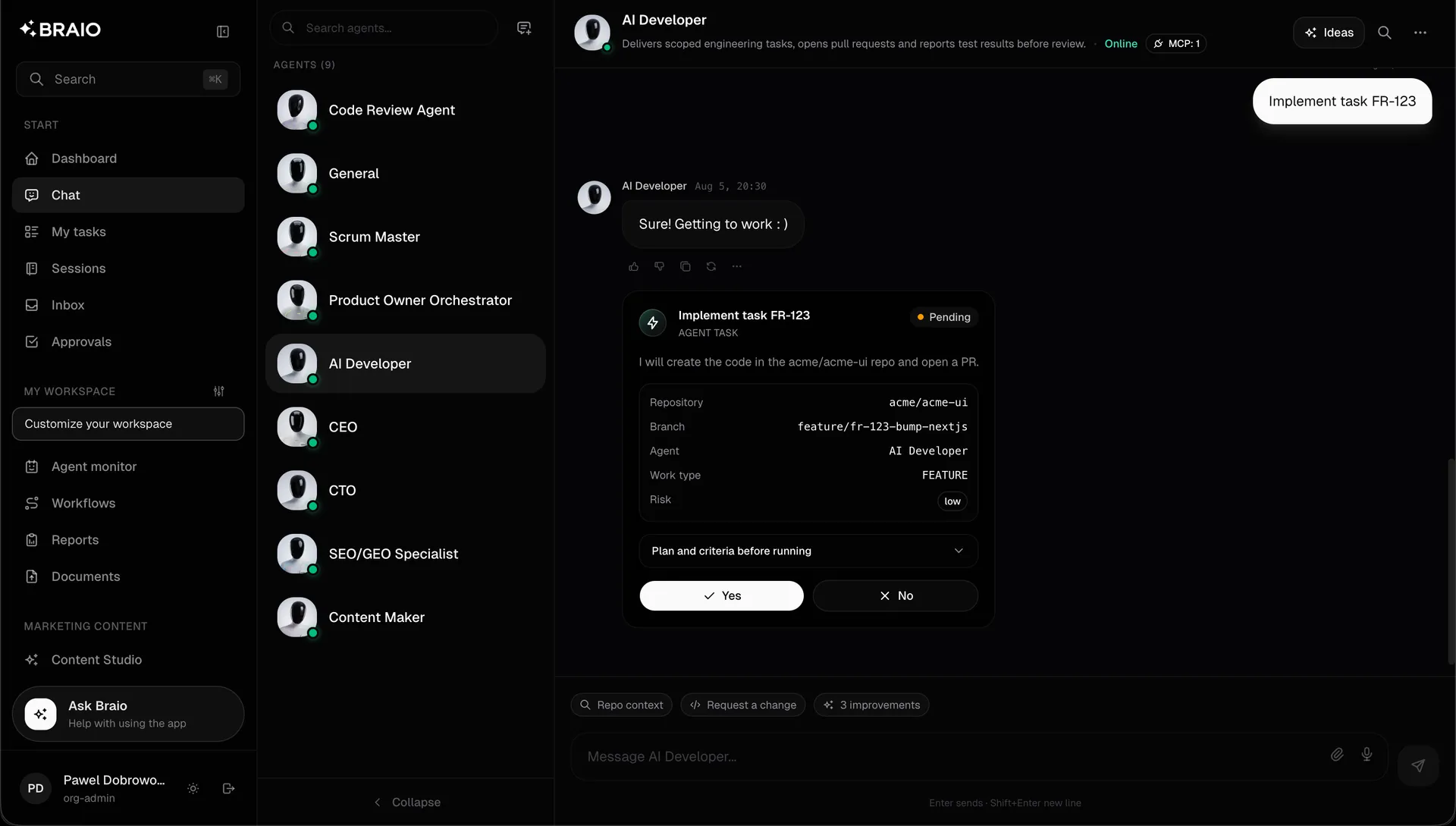
Before it runs, it shows a task card: repository, branch, work type and risk level. You approve with one click.
Task card · scope and risk
Working in the team's rhythm
Statuses in Linear or Jira, issue comments, a release changelog. The team sees progress where they already look.
Sync · Linear / Jira / Slack
In the product
This is what it looks like in Braio
- A task card with explicit scope and a risk price before anything runs
- Branch, commits, tests and a change summary in your repository
- A report with a timeline and metrics after delivery
How it works
One loop, six steps
- 01Taskfrom chat, backlog or a schedule
- 02Plan & criteriaexplicit scope, repo, branch, risk level
- 03Your approvala Yes/No gate before anything runs
- 04Executioncode, content or analysis in your tools
- 05Verificationcode review, tests, in-browser QA
- 06Evidence reportscreenshots, timeline, metrics
Approval gate: before the task runs (step 3) and before merging to main.
Control
Autonomy on your terms
Merging to main and deploying to staging is level 2 (one approval, SLA + rollback). A production deploy is level 3 - double approval and a complete chain of evidence. An issue comment or a Linear status happens on its own, with an audit log entry.
Scenario · Software house
- Today
- the backlog waits for a free developer, code review blocks sprints, estimates are guesswork
- With Braio
- a backlog task comes back as a PR with tests and review, and sprints run on Monte Carlo forecasts