
Braio

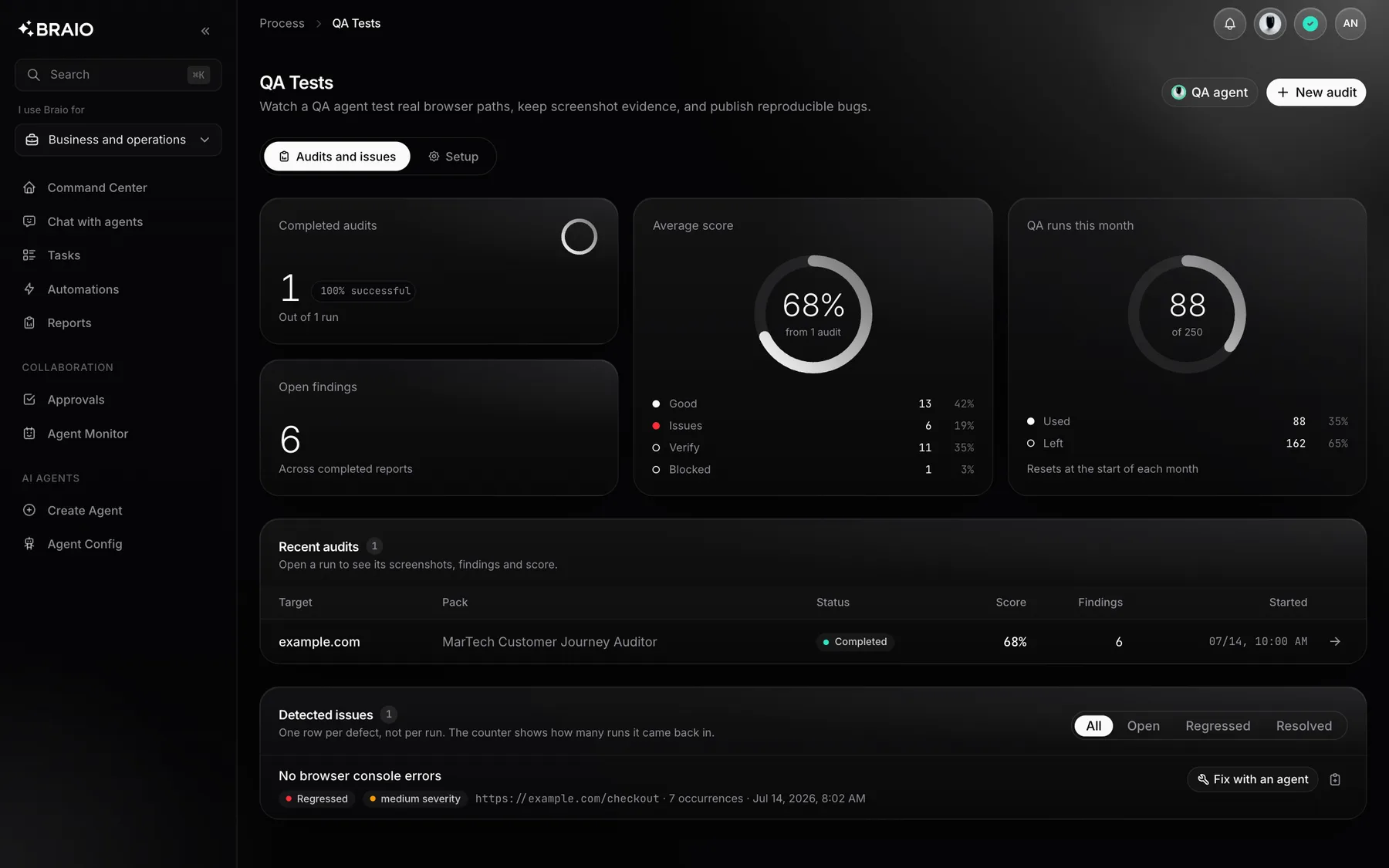
QA AI Automation

QA AI Automation: From a scenario to a retest.

Describe a scenario, run a web application test and move from a finding to a fix task. Braio connects QA reports with the team's work instead of ending at a list of issues.

The Braio panel with sample data: QA and delivery

See what you get

Sample requests and results on demonstration data.

What the work looks like

A preview on sample data.

Check card payment after entering a discount code

QA report

Result
Bug reproduced
Issue
Pay button stops responding
Evidence
Reproduction steps in the report

A scenario test with evidence

The agent runs the scenario in your web application and documents its findings.

  • Scenario result with evidence
  • Reproduction steps and expected behaviour
  • An app bug told apart from a blocked test

Hand this bug over for a fix and check the result

Retest status

Fix
Pull request merged
Retest
Fix confirmed
Limit
Two attempts per issue

Fix and verify again

A verified issue becomes a fix task for a coding agent.

  • A task based on a confirmed issue
  • A person reviews and merges the pull request
  • A retest checks the same issue

Scenario → evidence → fix → retest

This is an instructional product workflow, not a published customer benchmark or a promise to find every defect.

  1. 1

    Specify the environment URL, scenario and expected behaviour. Agree on a test account and the permitted actions.

  2. 2

    Run the test and review its findings and available evidence. Distinguish an application defect from a blocked or incomplete test.

  3. 3

    Hand a verified defect to a fix task. The fix loop requires repository configuration and access for the coding agent.

  4. 4

    A person reviews and merges the pull request. The QA loop does not merge it on its own. A retest after merge checks the same issue.

What the team receives

The report and issue list help establish what happened during a run. Reproduction steps and expected behaviour give the coding agent a concrete brief; a retest checks the change.

  • A scenario result with findings and available evidence.
  • A fix task based on a verified defect when integrations and permissions allow it.
  • A verification status: confirmed fix, an issue that still reproduces, or an incomplete retest.

Set up a useful test

Start with one important flow, such as sign-in in a test environment. Stable data, explicit criteria and application access matter more than a long list of vague instructions.

  • An agreed test environment, data and scope of operations.
  • An expected result and explicit scenario acceptance criteria.
  • A connected repository and a person to review the PR if you intend to use the fix loop.

Limits and human review

An automated run does not replace a complete QA strategy. Application changes, authentication, CAPTCHA, unavailable services and ambiguous expectations can block a scenario. A failed run is not proof that the application works.

The fix loop allows up to two attempts per issue. An incomplete retest does not confirm a fix. This audit offering covers web applications; native iOS and Android testing are outside its current scope.

Questions and answers

Write to us

The QA fix loop prepares work for review; a person reviews and merges the pull request. This workflow should not be confused with other workspace automation policies.

No. A report concerns a particular scenario, environment and run. Blocked tests, missed defects and findings requiring review must be taken into account.

Confirm integration scope, API/MCP access and permissions for your workspace. Help covers the starting requirements; we do not assume an available public marketplace listing or CLI package.

Other products

Chat

Explore

AI agents that know your company, data and processes.

Build

Explore

Agents plan the work, write code and open pull requests.

Content Studio

Explore

Images, video and campaign copy in one place.

Voice

Explore

Voice assistants that handle phone conversations.

SEO/GEO Audits

Explore

A report on how ready your site is for search and AI tools.

Social Manager

Explore

On-brand posts and graphics for Instagram, Facebook and LinkedIn.